Google / Imagen
Imagen 4
Text-to-image focused on 16:9 landscape and 9:16 portrait formats.
Imagen 4 supports text-to-image generation in AIO with two aspect choices: 16:9 and 9:16. Optional cinematic and cyber prompt presets help describe a direction; each task returns one image.
What you can do
- Text-to-image operation
- 16:9 landscape and 9:16 portrait aspect ratios
- AIO cinematic and cyber prompt presets
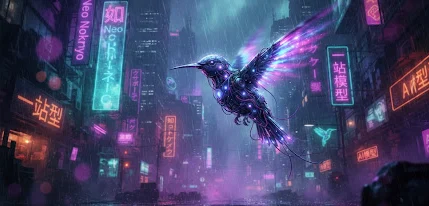
Visual references & outputs
Ideas to try
- Plan a widescreen environment scene
- Explore a vertical visual for a portrait-format layout
Practical tips
- Pick landscape or portrait before describing the camera framing.
- Use a different model when the project requires a square canvas.
Supported controls on AIO
These specifications come from AIO’s operation profiles. Controls can differ by tool and resolution; final credit cost is shown in Studio before you run.
Generate
Currently unavailable- Aspect ratios
- 16:9 / 9:16
- Resolution
- Automatic sizing
- Quality
- Model default
- Task count options
- 1
- Images per task
- 1
- AIO prompt presets
- Cinematic / Cyber neon
Style presets add curated words to your prompt; they are not native model styles.
This tool is currently unavailable for this model.