Alibaba / Qwen
Qwen Image 3.0
Generate or edit at 1K or 2K, requesting one to four outputs.
Qwen Image 3.0 supports both text generation and single-reference editing in AIO. Seven aspect ratios, two resolution settings and an output-count control let you set the format before submitting.
What you can do
- Generation and single-reference editing
- 1K and 2K resolutions across seven aspect ratios
- One to four outputs with clay and cyber prompt presets
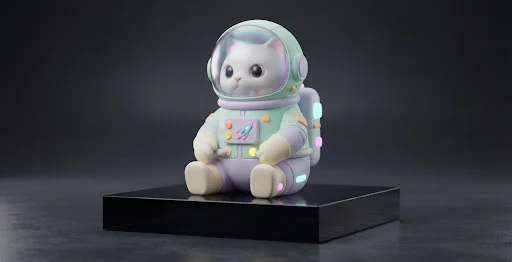
Visual references & outputs
Ideas to try
- Explore several character or object concepts from one prompt
- Compare alternative edits of a supplied reference
Practical tips
- Use the output-count control when you want several alternatives.
- Select Edit and upload one image when the source should guide the result.
Supported controls on AIO
These specifications come from AIO’s operation profiles. Controls can differ by tool and resolution; final credit cost is shown in Studio before you run.
Generate
Currently unavailable- Aspect ratios
- 1:1 / 16:9 / 9:16 / 4:3 / 3:4 / 3:2 / 2:3
- Resolution
- 1K / 2K
- Quality
- Model default
- Task count options
- 1 / 2 / 3 / 4
- Images per task
- 1
- AIO prompt presets
- 3D clay / Cyber neon
Style presets add curated words to your prompt; they are not native model styles.
This tool is currently unavailable for this model.
Edit
Currently unavailable- Aspect ratios
- 1:1 / 16:9 / 9:16 / 4:3 / 3:4 / 3:2 / 2:3
- Resolution
- 1K / 2K
- Quality
- Model default
- Task count options
- 1 / 2 / 3 / 4
- Images per task
- 1
- AIO prompt presets
- 3D clay / Cyber neon
Style presets add curated words to your prompt; they are not native model styles.
Requires your own input image in Studio. Reference art on this page is not uploaded for you.
This tool is currently unavailable for this model.